
01
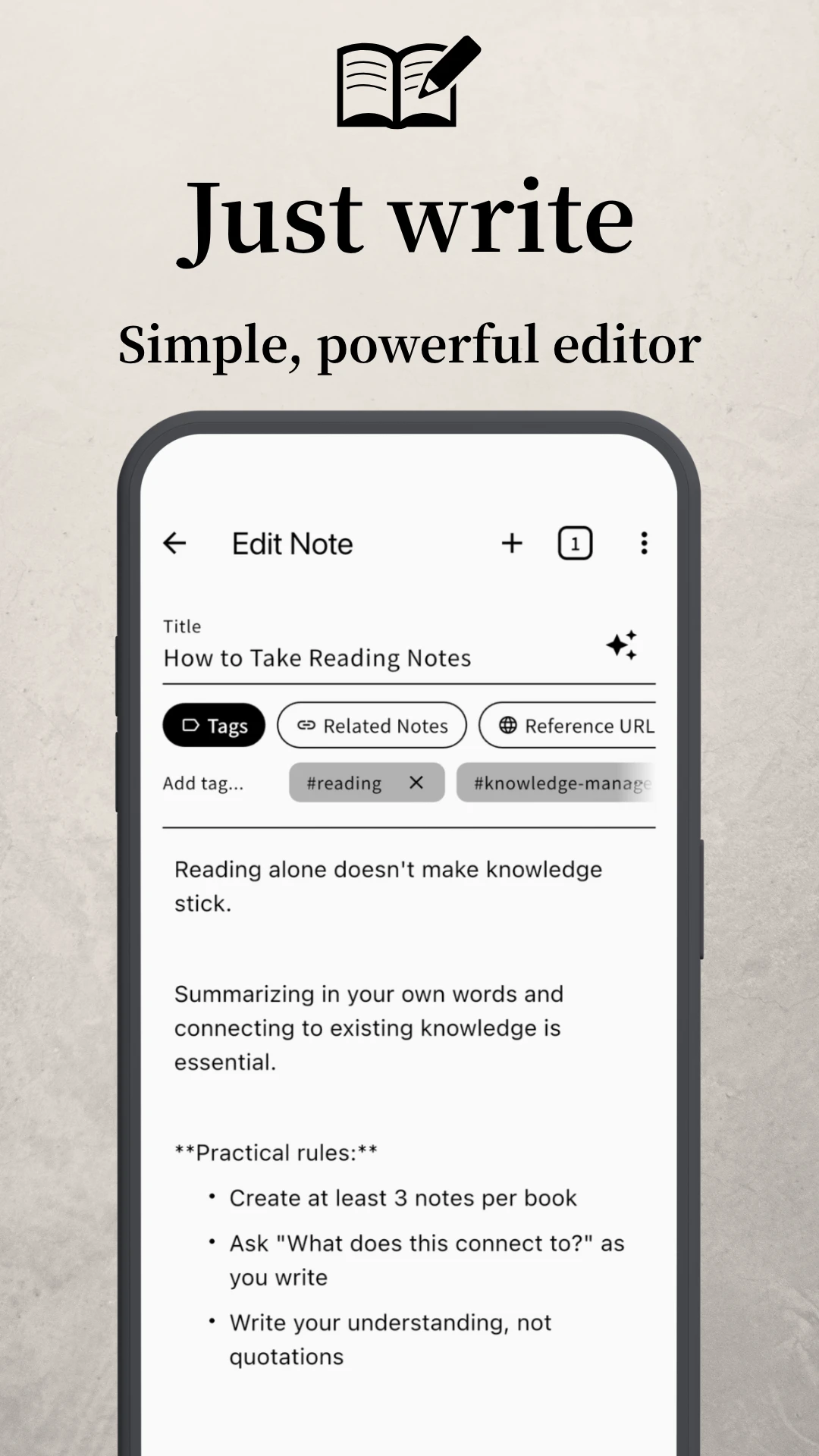
Write
Quick thoughts and refined ideas — capture both
Clone+ is a note app that changes how you learn.
“We've been learning the wrong way” — how does that strike you?
You might push back. Or somewhere inside, you might feel: I already knew.
The way we were taught — memorize, organize, summarize — worked for an earlier age. It no longer keeps up.
Open your phone, and information floods in. Books pile up. Videos never end. In a single day, we encounter more than someone centuries ago would in a lifetime.
In that flood, “writing notes” and “sorting them into folders” isn't enough. Knowledge slips through.
Your notes and folders are neatly organized, but the knowledge doesn't stick
You take notes, but only write them and never look back
Your knowledge keeps growing, but it's never there when you need it
You just "watch" books and videos — and nothing more
Every question gets a quick search, so you stop thinking deeply
It's not about your ability. The problem lies in how we were taught to take notes.
“Keep your notes neat. Sort them into categories.” — that's how we were taught, and it sounds perfectly reasonable. Yet this habit may be what's wasting your knowledge.
The human brain doesn't sort information into folders the way a computer does. Memory is a network — strands that overlap and tangle, and ideas emerge from unexpected combinations.
Say you study programming. Old habit: file it under “programming” and move on. But the ability to break things apart and rebuild them — sharpened by programming — works just as well for planning a meal, structuring an essay, scheduling a project. The moment you file it away, the connections become invisible.
You have the knowledge — but you can't use it. You're learning, yet not growing. The real culprit may be the separation called “organization.”
— The answer already exists

In post-war Germany, there lived a sociologist named Niklas Luhmann.
Over forty years, he produced about 90,000 notes, more than 70 books, and over 400 papers. That extraordinary output came not from raw brilliance, but from something else entirely: a system he had built.
A system for not forgetting what he had learned. A system that let him pull any note, in any moment, back into the conversation. He called it the Zettelkasten — German for “slip box.”
The rules are simple. One idea per note. As you write, draw a link to any related note you've already kept. That's all it takes for scattered records to start moving — point connecting to point, until a map of your own knowledge begins to grow.
One idea per note, kept small
Connect related notes explicitly
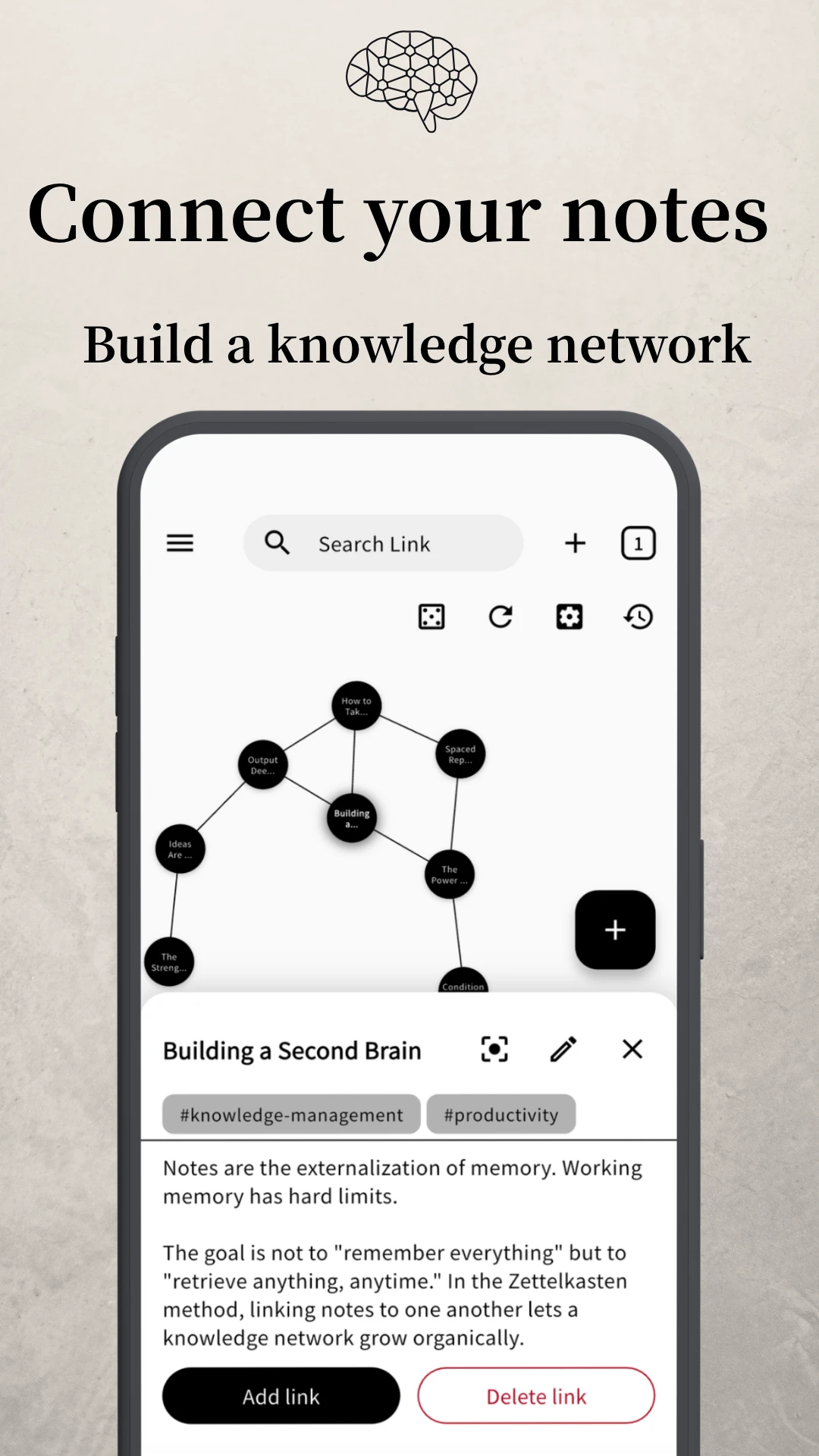
Links grow into a map of knowledge
In an age when AI can pull facts in an instant, the question is no longer “how much do you remember?” but “what can you connect, and what can you create?” The Zettelkasten method is, at once, the oldest and newest answer to that question.
Clone+ brings this method to your hand — on phone and PC.
Make note-taking a habit
The Zettelkasten method begins with many notes, written and linked over time. If each entry takes effort to format, the practice stalls. Headings and bullet lists are within reach, and undo / redo keep stray strokes reversible — so the editor stays stripped down, and the only thing that flows is your thinking.
Stop sorting into folders
Ask "what does this connect to?" as you draw links to related notes. Scattered records gradually become part of a single network.
Beyond search
Just ask the chat what's on your mind. AI doesn't just retrieve past notes — it reads how they connect, and sometimes returns angles you hadn't considered. Records you once set aside start to move again.
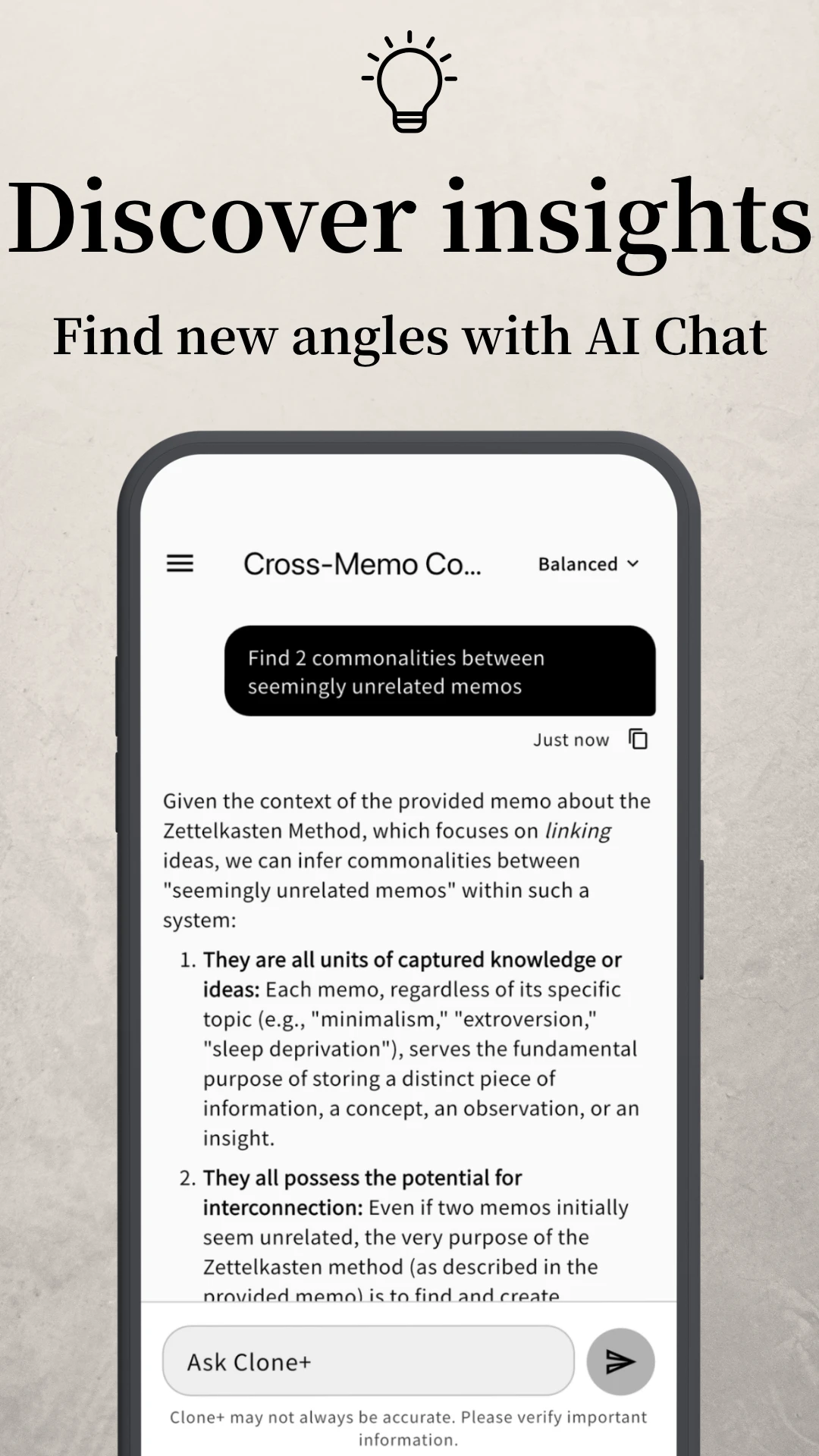
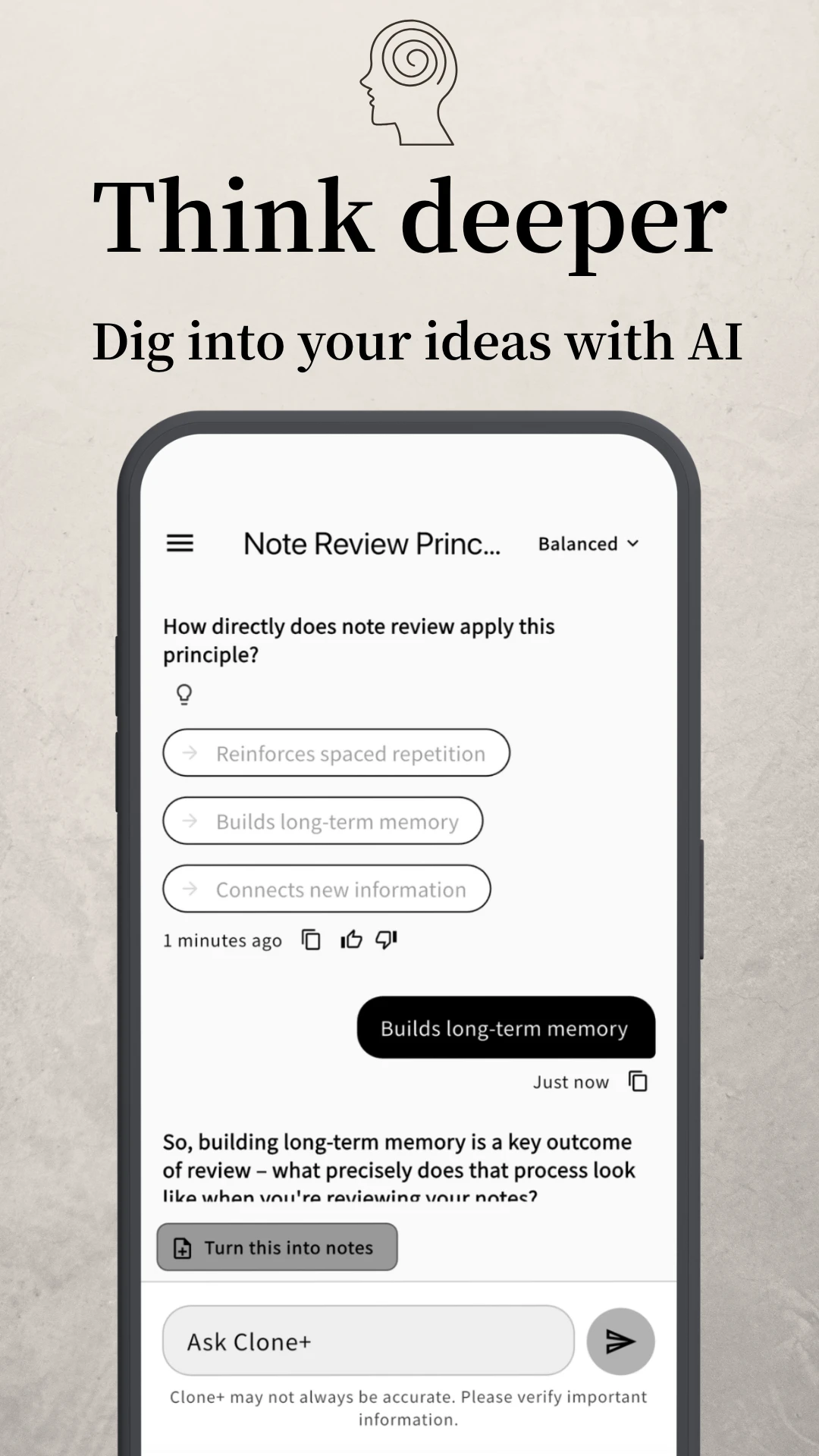
Keep thinking
AI picks up the claims and themes in your notes and asks back — “why do you think so?” “what's a concrete example?” Rather than handing you answers, the dialogue helps you put your own thinking into words. A perspective no search can give — your own — comes into focus.
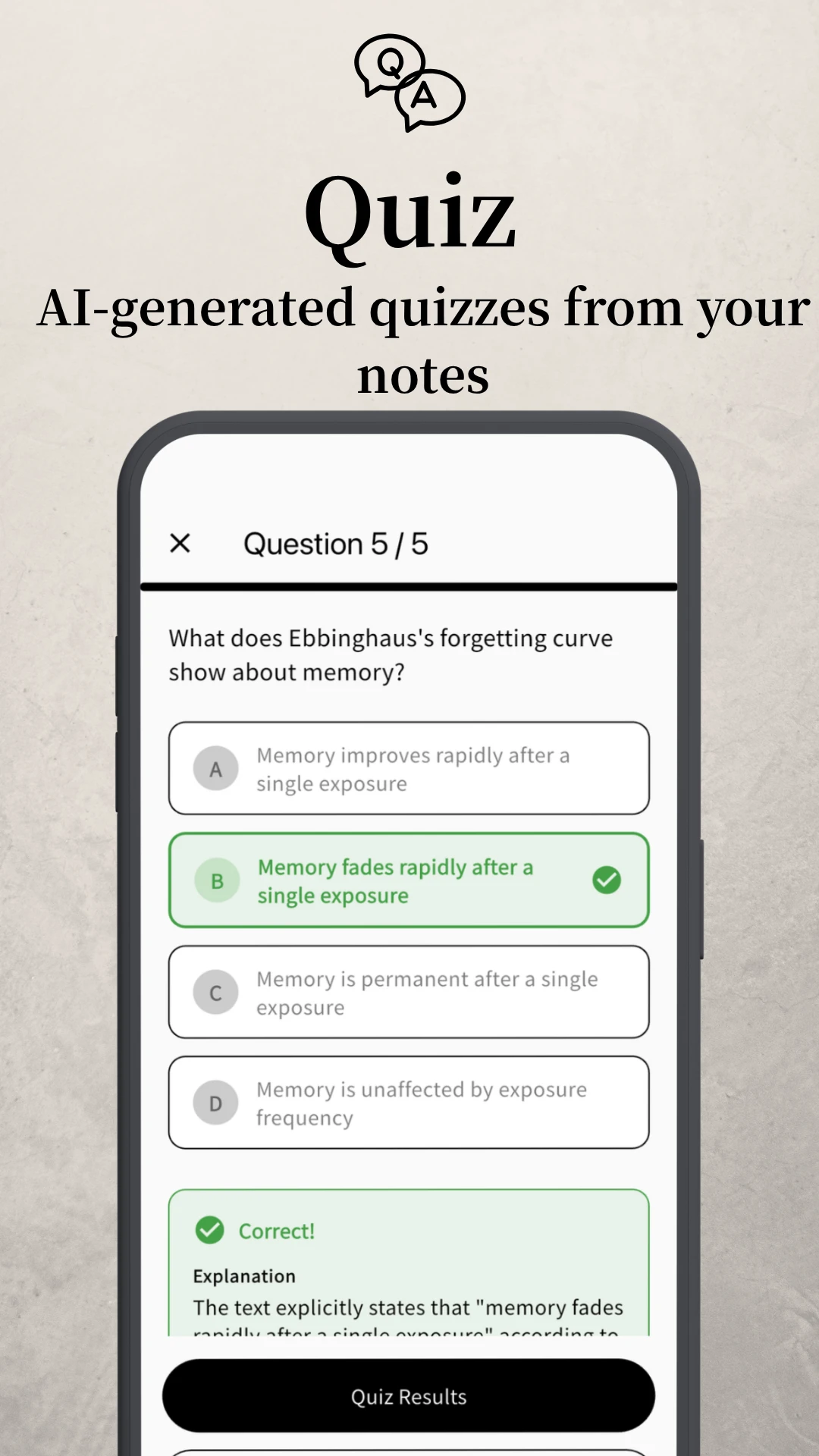
From 'I know it' to 'I can use it'
Quizzes are generated from your notes. Answering them yourself moves knowledge from "known" to "usable."
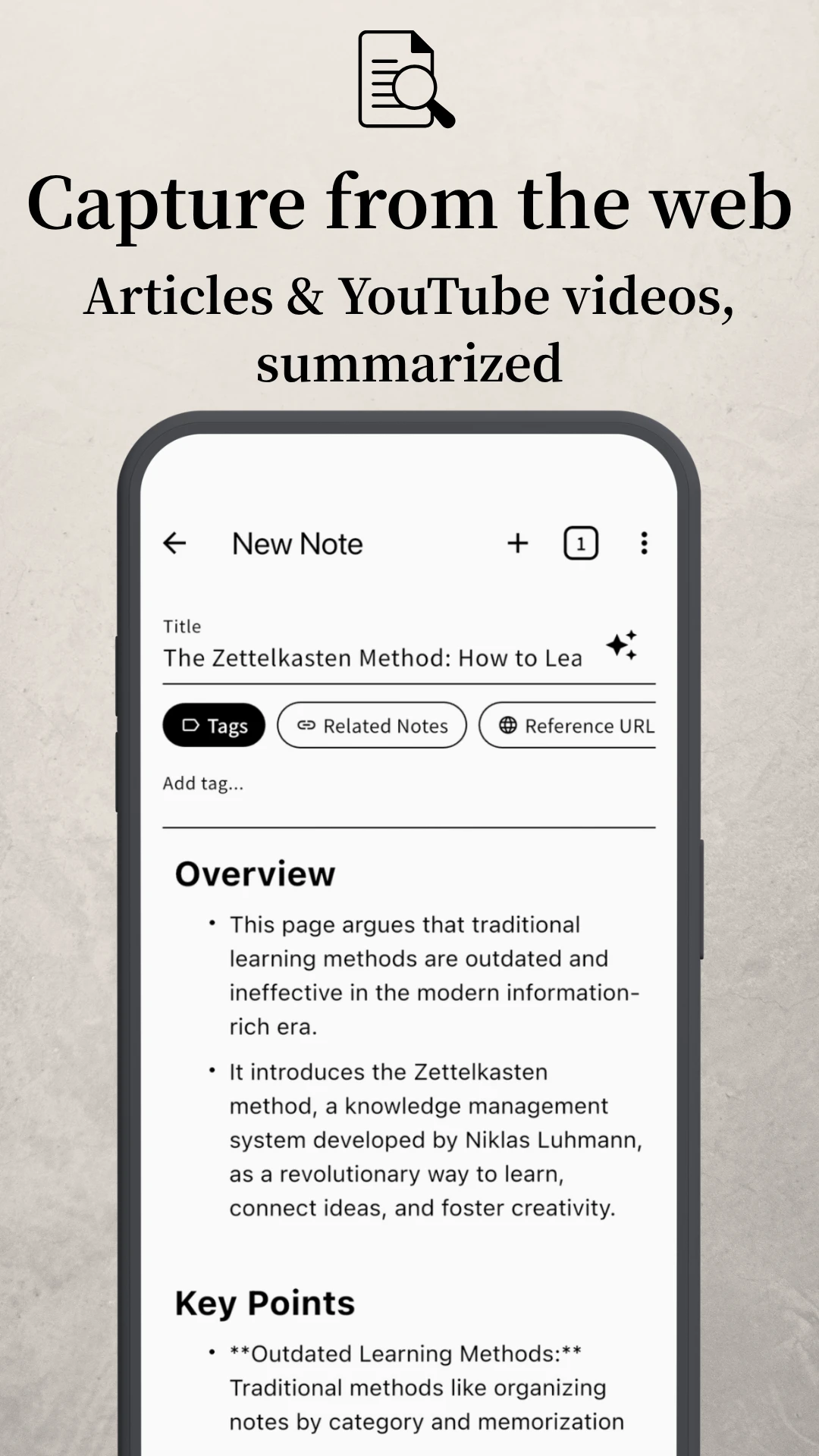
Capture what you find, instantly
An article you just read, a video you just watched. Share the URL, and AI summarizes it into a note — no copy-pasting, no app-switching. What you just consumed becomes part of your own knowledge, in a flash.
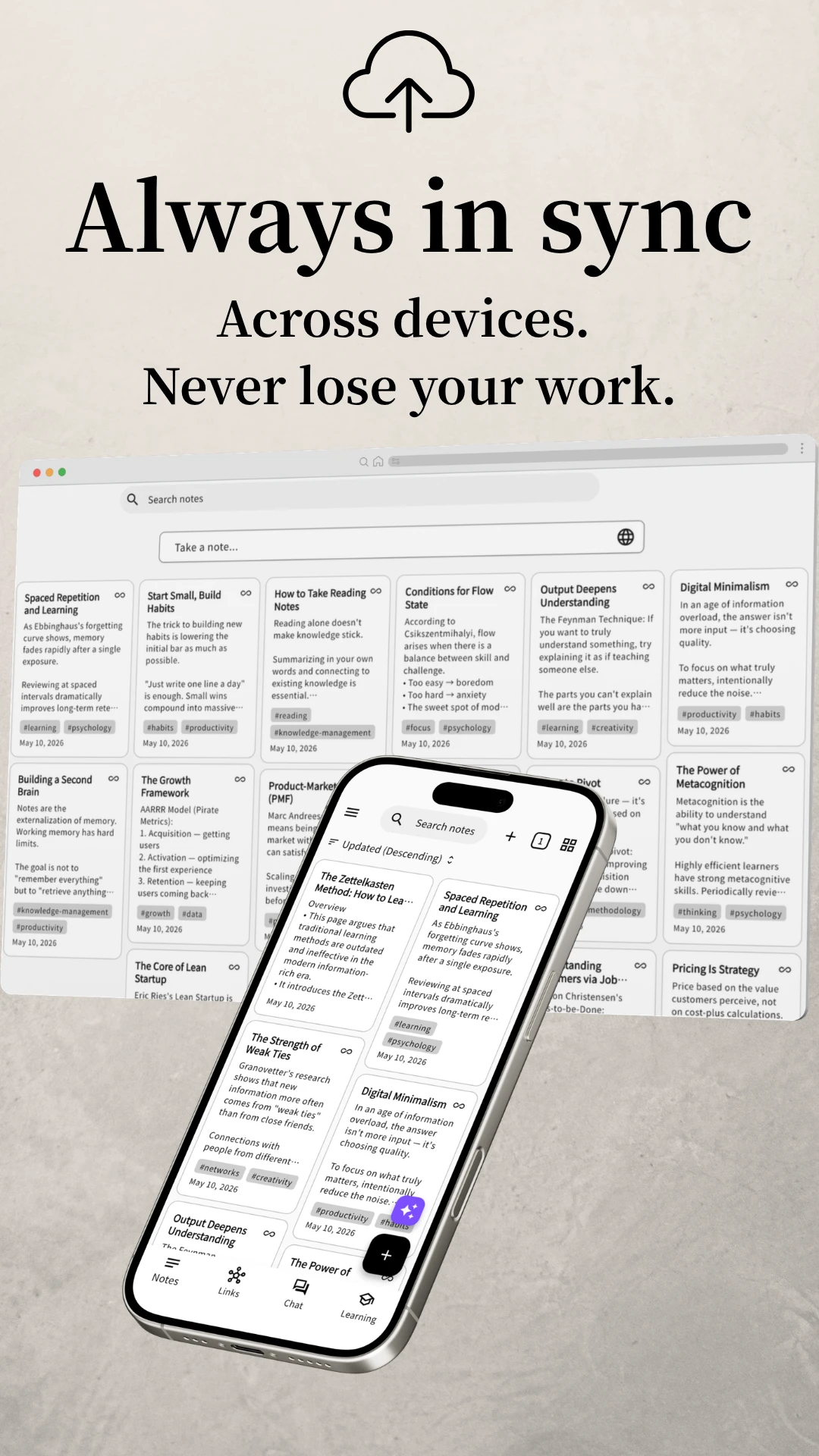
Across devices, always
What you write syncs automatically between PC and phone. Switch devices, lose or break one — your notes stay safe in the cloud.
Write → Link → Revisit → Grow → and back to Write. Keep the cycle turning, and your notes gradually become something you can actually use.
Quick thoughts and refined ideas — capture both
Ask "what does this connect to?" as you link
Survey with graph, ask the AI, check with quiz
Add insights, edit, draw new links over time
Auto-extract and cluster statements from your notes
Split long notes into atomic units, auto-linked
AI surfaces notes related to what you're writing
Auto-name from the body
Shuffle through notes on the graph and rediscover forgotten ones
Pull text from images (JPG, PNG, HEIC, etc.) into a note
Pull text from PDF, Word, Excel, Markdown, and plain text files into a note
Tag notes to classify and cut across them
Find by title, body, or tag — fast
Move between notes like browser tabs
Keep important notes at the top of the list
Move notes you want to keep out of the main list
Mark drafts so they stay out of graph view and AI chat
10 theme colors + light/dark mode
Japanese · English · Korean · Spanish · French · German · Portuguese
People who read a lot, use ideas at work, or keep learning every day. Especially those whose work and life revolve around thinking.
No. Just ask "which other notes does this connect to?" as you write. The network grows naturally over time.
Yes. Each note can be short. In fact, keeping notes small is what makes the links between them work.
Actually, the opposite. Clone+'s AI doesn't hand you answers — it asks you back, using your own notes. It's designed as a partner for deepening your thinking.
Most features — AI chat, URL summarization, OCR, quizzes, related-note suggestions — are available on the Free plan. The two main differences:
Ads: On Free, when you hit the daily AI quota on mobile, you can keep going by watching a short ad. Premium has no ads.
Premium-only features: Higher-quality AI models, AI-generated titles, and continuous insight analysis are Premium-only.
Both plans have a daily AI usage limit, but Premium's quota is significantly higher.
The main reason is cross-device sync. Sign in with Google or Apple, and your notes become accessible from any device — phone or PC. Even if a device is lost or damaged, your notes stay safe in the cloud.
Notes are stored both locally on your device and in the cloud (Firebase) tied to your Google or Apple account.
Clone+ operators don't read your notes. Firebase security rules technically block access by anyone but you. We don't share your notes with third parties, and we don't use them for any other purpose.
Notes are encrypted both in transit and at rest, and you can toggle AI data sharing on or off in settings.
Writing, editing, and reading notes works fully offline. Clone+ syncs to the cloud automatically when your connection returns. AI features (chat, summarization, URL fetching, etc.) require an internet connection.
* Prices and plan contents are subject to change at our discretion.
¥0
$10 / month
* Varies by country/region